For Genealogy
Creating presentations for genealogy can be an exciting yet daunting task. Whether you’re piecing together family histories for a reunion, giving a talk at a genealogy conference, or simply sharing your research findings, a visually appealing presentation can make all the difference. Canva, with its AI-powered tools, offers a treasure trove of features to assist genealogists in crafting presentations that are both informative and captivating. Let’s explore five effective strategies to help you save time with AI design while creating impressive genealogy presentations.
Introduction
Genealogy is more than just tracing family roots; it’s about weaving stories that connect us to our past. As a genealogist, presenting your findings in an engaging manner is crucial. Canva’s AI tools can drastically simplify this process, allowing you to focus on your research while ensuring your presentations are visually stunning. In this post, we’ll delve into five strategies that blend both online and offline methods, providing a comprehensive guide to using Canva effectively for genealogy presentations.
Strategy 1: Utilize Canva’s Templates
Explanation
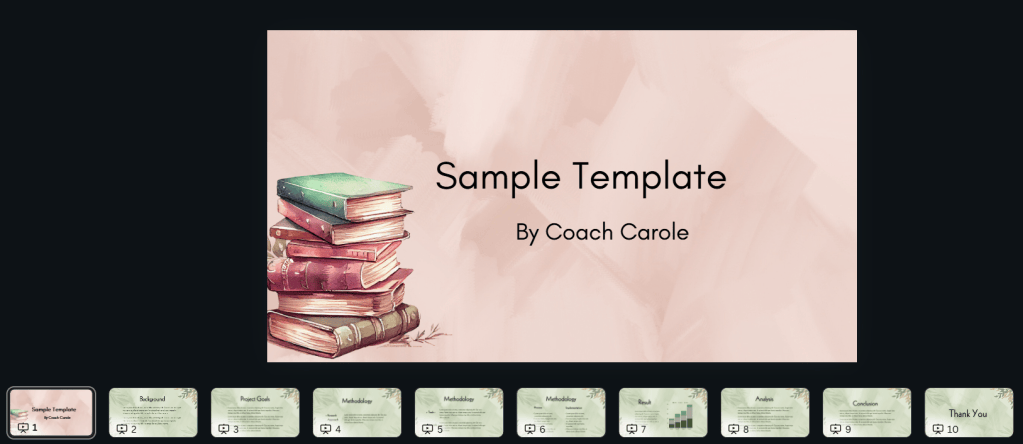
One of the most valuable resources for genealogists is a well-organized presentation. Canva’s extensive collection of presentation templates can save you hours of design work. These templates are customizable, allowing you to add your text, images and backgrounds for an engaging presentation.
Practical Implementation Tips
- Start Simple: Choose an interesting Presentation template that fits the topic.
- Customize: Use Canva’s design tools to change colors, fonts, and add personal touches like family crests or historical photos.
Real-World Example
Imagine you’re preparing for a presentation on Zoom with your group, and you find yourself excited about the opportunity to showcase the power of Canva AI in creating visually appealing presentations. You want to demonstrate how to create a presentation in Canva using Canva AI, which can revolutionize the way ideas are shared. Here is a sample prompt you might use:
In presenting my family history through AI-enhanced research techniques, it is essential to begin with planning your prompt project, as this sets the groundwork for a successful exploration of familial roots. Start by identifying key questions and goals you hope to achieve, which will inform the structure of your research. Next, focus on choosing a tool and model for the task; various AI tools are available, each with unique capabilities, so select one that aligns closely with your objectives. Once the right tool is in place, move on to creating an AI project by inputting your research details and context, ensuring a comprehensive framework for analysis. Adding relevant documentation is crucial, as it provides the necessary background information and data for the AI to process effectively. It’s important to structure your prompt using the CLEAR method, which emphasizes clarity, length, empathy, accuracy, and relevance to guarantee that AI understands your inquiries appropriately. Furthermore, specifying the output format and style will allow the AI to produce results that meet your expectations, whether you need a narrative, bullet points, or data visualizations. Once everything is set, proceed to executing your prompt, triggering the AI to begin its processing. After receiving the response, take time to analyze the results, assessing their relevance and accuracy concerning your original questions. If necessary, develop and insert follow-up prompts to guide the AI in refining the output further or exploring new leads. Finally, once you are satisfied with the information gathered, don’t forget to download the results for your archival needs, ensuring that all findings are preserved and accessible for future reference.
Strategy 2: Leverage AI for Visual Storytelling
Explanation
Canva’s AI tools can help genealogists turn dry data into engaging visual stories. The AI can assist in generating layouts and design ideas that highlight your research findings effectively.
Practical Implementation Tips
- Interactive Presentations: Use AI to create interactive slides with clickable links and embedded videos of family interviews.
- Save Time with AI Design: Input your topic and let AI suggest creative layouts that emphasize key points.
- Offline Tip: Create printed storybooks from your presentations to share with family members who prefer physical copies.
Real-World Example
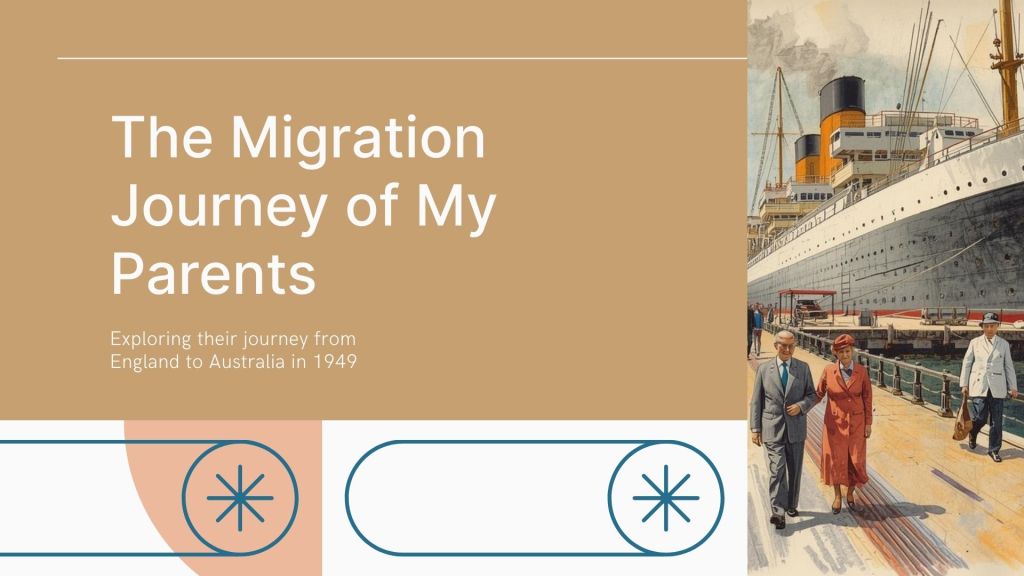
Suppose you’ve uncovered a fascinating story about an ancestor’s journey to a new country. Canva’s AI suggests a timeline format, allowing you to visually depict each significant milestone in that journey. You then print this as a booklet, making it a tangible piece of family history.
I need a presentation of about 10 slides to illustrate my family history migration story, which is set in the 1940s and details the profound journey from England to Australia. Each slide should be thoughtfully crafted with a design that embraces warm autumn colours, complemented by delicate sketches that vividly illustrate the various stages of the journey. The first few slides can capture the bittersweet emotions of leaving behind familiar landscapes, depicting the nostalgia and heartache as family members bid farewell to their homeland. Following this, we can delve into the adventure of traveling across the seas, filled with illustrations that highlight both the excitement and apprehension that accompanies such a significant life change. As we move towards the latter part of the presentation, the slides should convey the warmth and hope of arriving in a new land, showcasing the beauty and diversity of Australia. Incorporate images that evoke nostalgia—perhaps sepia-toned photographs or vintage travel posters—and balance engaging text with captivating visuals to create a narrative that not only informs but resonates deeply with the audience, invoking a sense of connection and empathy towards the migration experience.
Strategy 3: Craft Infographics to Illustrate Data

Explanation
Genealogy often involves a wealth of data, from census records to immigration logs. Infographics can distill this information into easily digestible visuals.
Practical Implementation Tips
- Highlight Key Data: Use Canva’s infographic templates to spotlight crucial statistics or migration patterns.
- Customization: Incorporate maps, family crests, or other symbols to personalize your infographic.
- Offline Tip: Print infographics as posters for genealogy fairs or community events.
Real-World Example
A genealogist discovers that a significant number of their ancestors emigrated during a particular historical period. Using Canva, they create an infographic showcasing these migration patterns, complete with maps and icons. This visual aid becomes an engaging focal point at a local history fair.
Sample prompt to create an image using Magic Media in Canva to illustrate your presentation:
A beautiful colourwash image of a charming cabin on board a 1940s steamship, where time seems to linger in a perfect, nostalgic embrace, is captured in muted autumn colours that evoke a sense of warmth and tranquility. The gentle hues of amber, rust, and ochre blend seamlessly, reminiscent of the changing leaves on the journey across the tranquil waters. Soft shadows dance on the wooden surfaces, adding depth to the scene, while the faint outlines of vintage maritime décor create an inviting atmosphere, making one imagine curling up with a good book or enjoying a quiet cup of tea as the steamship glides gracefully through the misty fjords, surrounded by the breathtaking beauty of nature in its autumnal splendour.
Strategy 4: Design Engaging Slideshows with Canva AI
Explanation
Slideshows are a powerful way to present genealogical research, and Canva’s AI can help create captivating slide designs that hold an audience’s attention.
Practical Implementation Tips
- Magic Resize: Adapt your slideshow for different platforms, ensuring it looks professional whether viewed on a laptop or a large screen.
- Visual Consistency: Use AI to maintain a consistent color scheme and font style throughout your slides.
- Offline Tip: Export your slideshow as a PDF to distribute at in-person presentations.
Real-World Example
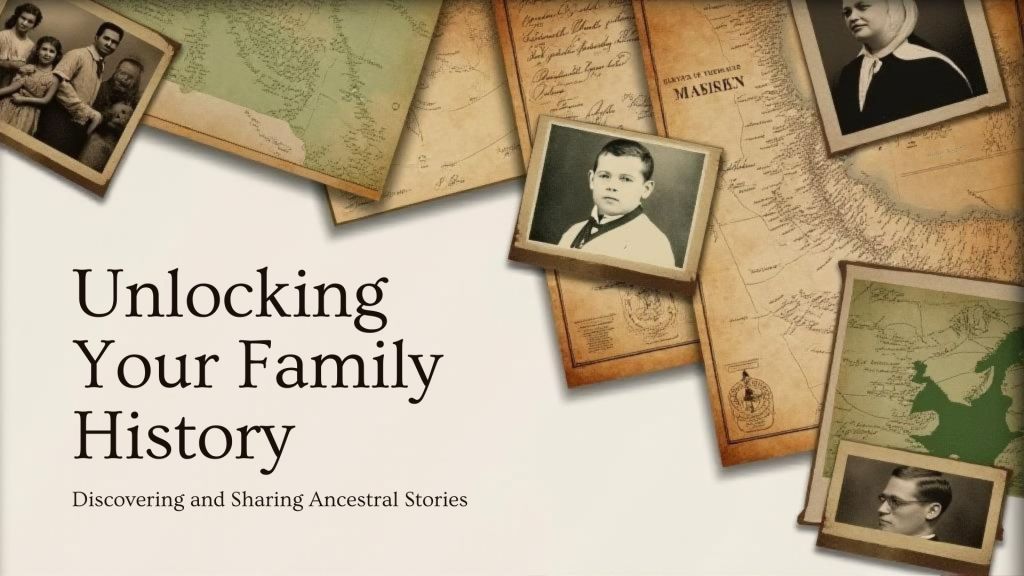
Preparing for a genealogy conference, a researcher uses Canva’s AI to create a slideshow detailing their family’s history. The AI helps design slides that balance text with imagery, enhancing the presentation’s impact. The researcher then exports the slides as a handout for attendees.
Sample Prompt:
Create a slideshow for my presentation about my latest family history research and story creation, which not only highlights the invaluable discoveries I’ve made about my ancestors but also delves into the fascinating narratives that have emerged from their lives. I aim to showcase a variety of historical documents, photographs, and maps that bring to life the rich tapestry of my family’s past. Through this visual journey, I will connect the dots between generations, illustrating how our heritage has shaped who we are today, while also emphasizing the importance of preserving these stories for future generations to appreciate and learn from.
Strategy 5: Collaborate and Share with Ease
Explanation
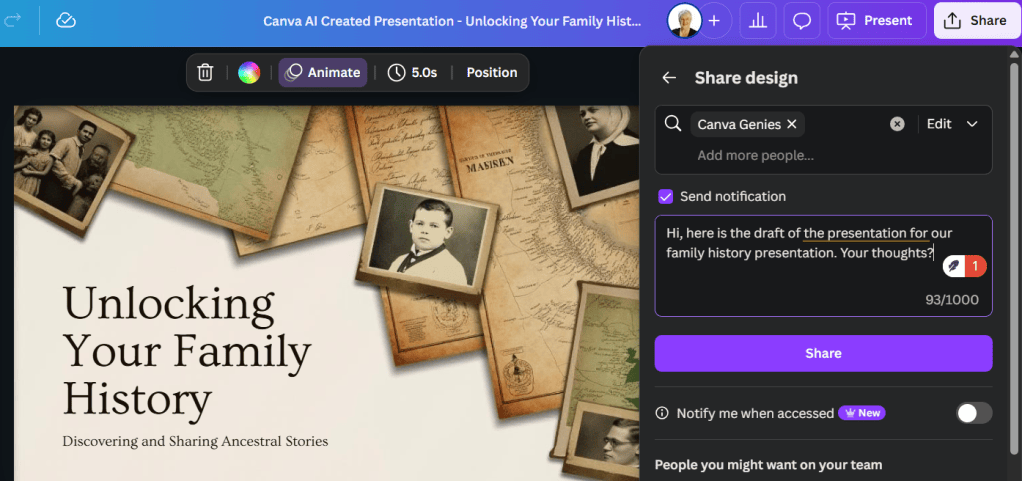
Genealogy often involves collaboration with family members or fellow researchers. Canva’s real-time collaboration features facilitate seamless teamwork.
Practical Implementation Tips
- Shared Projects: Invite family members to contribute photos or stories directly into your Canva project.
- Feedback Loop: Use the commenting feature to gather feedback and make necessary adjustments.
- Offline Tip: Compile the final product into a printed family history book.
Real-World Example
A family is working together to document their lineage. Using Canva, they create a shared project where each member can add their own research and memories. The final product is a beautifully printed family history book, which becomes a treasured family heirloom.
Conclusion
Genealogy is a journey of discovery, and presenting your findings should be just as rewarding. By incorporating Canva’s AI-powered tools and these strategic approaches, genealogists can create impactful presentations that resonate with their audience. As you embark on your next genealogical project, consider these strategies and reflect on how you can use AI to enhance your storytelling. What stories will you uncover, and how will you present them to your family and community? Embrace the power of Canva and let your creativity shine.

